
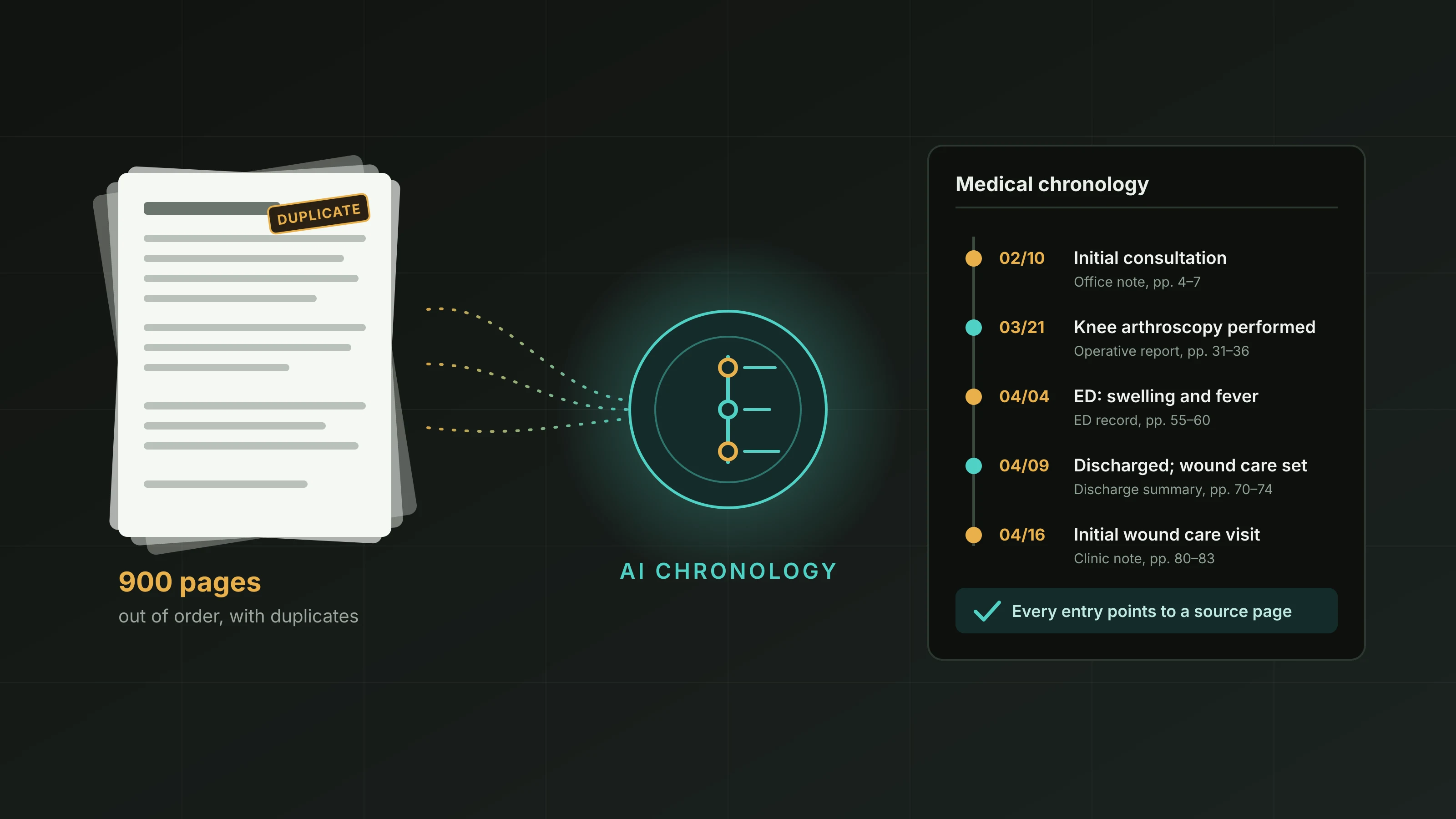
Say a paralegal gets handed a 900-page file for a client who had knee surgery and developed complications. The records include a surgeon's office chart, a hospital stay, two emergency visits, a wound care clinic, and a physical therapy practice. The attorney asks a simple question: "What happened, and in what order?"
Answering it takes more than reading. The pages aren't in date order. The same discharge summary shows up twice. One emergency visit is documented in two places with slightly different times. Building a clear sequence by hand takes days, and one misplaced date can change how the whole treatment course looks.
An AI medical chronology is meant to shorten that first step. Software reads the records, pulls out dates and events, and arranges them in a timeline a legal team can scan, search, and check against the source. In this article, we explain how it works, show an illustrative timeline, cover the benefits and limits, and give you questions to ask when evaluating tools. We also describe how our 100% AI Review service fits, using the details published on our website.
What an AI Medical Chronology Is, and the Path From Pages to Timeline
The Basic Definition
A medical chronology is a list of medical events in date order, usually with the provider, a description of what happened, and the source page. An automated medical chronology produces that list with software instead of by hand. The tool reads the records, identifies events, and arranges them into a timeline.
Depending on the vendor, you may hear it called an AI chronology generator or medical timeline software. The labels differ, but the goal is the same: a navigable view of the treatment history that points back to the original records.
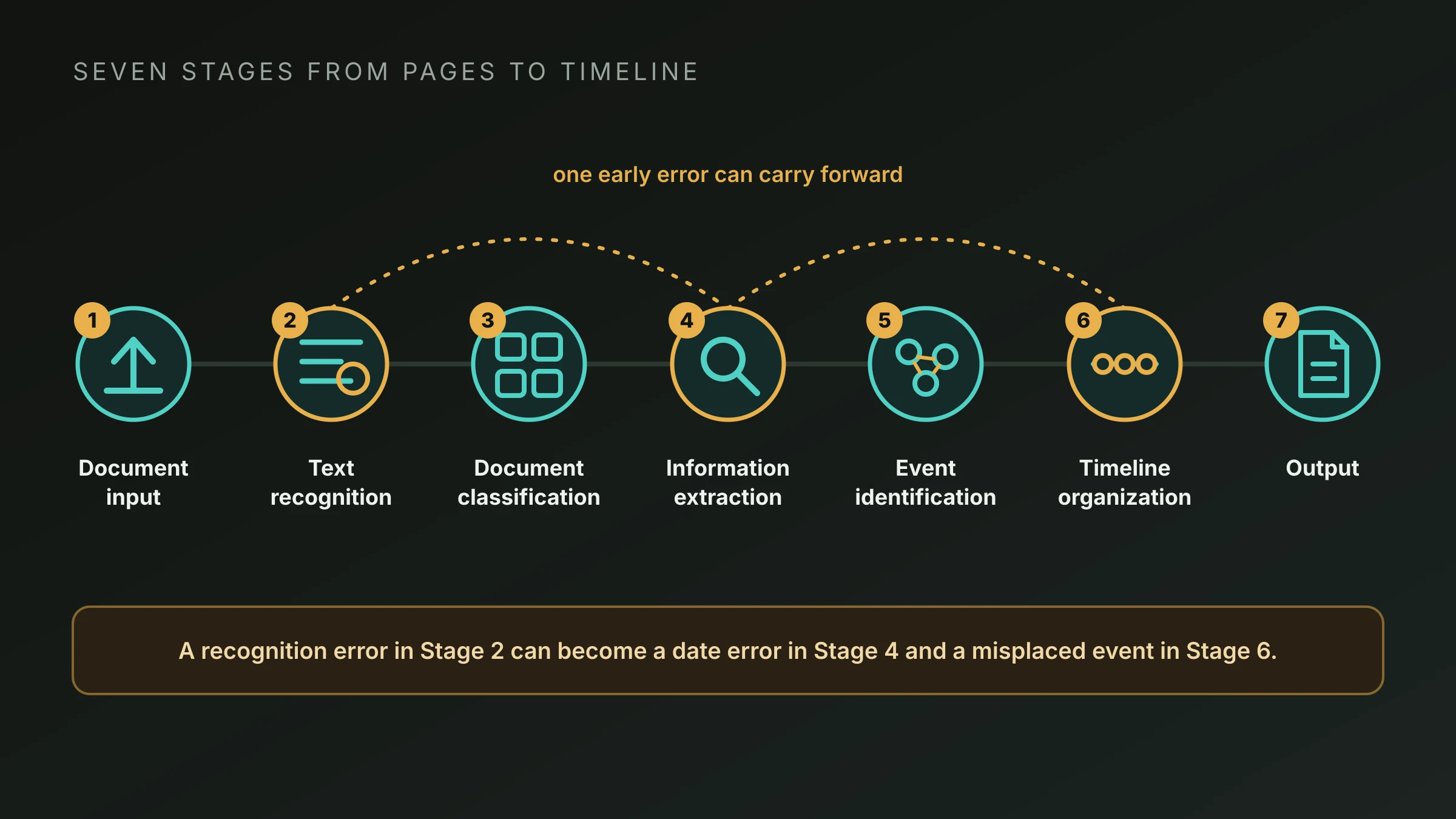
Typical Stages of Automated Chronology Generation
Tools work differently, so think of this as a general picture, not a description of every product or a guaranteed workflow.
-
1
Document input. The records are uploaded, often as large PDFs combining many documents from many providers. They may be typed, scanned, or faxed.
-
2
Text recognition. Scanned pages are converted into machine-readable text using optical character recognition (OCR). The quality of every later stage depends on how well this step reads the page.
-
3
Document classification. The software sorts pages into types, such as progress notes, imaging reports, lab results, operative reports, or billing statements, and works out where one document ends and the next begins.
-
4
Information extraction. The system looks for specific details: dates, provider and facility names, diagnoses, medications, procedures, test results, and treatment events.
-
5
Event identification. Extracted details are grouped into events, such as "orthopedic consultation," "MRI performed," or "discharged from hospital." Duplicate mentions may be merged, and related entries may be linked.
-
6
Timeline organization. Events are sorted by date. Depending on the tool, they may be filtered by provider, event type, or other categories.
-
7
Output. The timeline is delivered in a chosen format, such as a table, a narrative, or a hybrid view. Some tools link each entry to its source page and let users search the results.
Each stage builds on the one before it. A recognition error in Stage 2 can become a date error in Stage 4 and a misplaced event in Stage 6.
What the Software Is Really Doing
It helps to take the mystery out of it. The software isn't understanding the case the way a clinician would. It's detecting patterns in text, such as a date near a heading, a provider name in a letterhead, or a phrase that signals a procedure, and organizing what it finds. When the patterns are clear, the results can be useful. When pages are messy, ambiguous, or unusual, the results can be unreliable.
A Sample Timeline and How to Read It Critically
An Illustrative Timeline
The timeline below uses fictional details to show what an AI-generated chronology typically looks like. Findings from any tool must be checked against the original records.
| Date | Provider / Facility | Medical Event | Source Document |
|---|---|---|---|
| 02/10 | Riverside Orthopedics | Initial consultation for right knee pain; MRI ordered | Office note, pp. 4–7 |
| 02/19 | Lakeview Imaging | MRI of right knee performed | Imaging report, pp. 12–13 |
| 03/02 | Riverside Orthopedics | Follow-up; surgery recommended | Office note, pp. 18–20 |
| 03/21 | Westfield Hospital | Knee arthroscopy performed; discharged same day | Operative report, pp. 31–36 |
| 03/28 | Riverside Orthopedics | Post-operative visit; incision healing | Office note, pp. 41–42 |
| 04/04 | Westfield Hospital ED | Presented with knee swelling and fever | ED record, pp. 55–60 |
| 04/05 | Westfield Hospital | Admitted for suspected infection; antibiotics started | Admission note, pp. 62–65 |
| 04/09 | Westfield Hospital | Discharged; wound care follow-up arranged | Discharge summary, pp. 70–74 |
| 04/16 | Lakeview Wound Care | Initial wound care visit | Clinic note, pp. 80–83 |
At a glance, the attorney can see the sequence: consultation, imaging, surgery recommendation, surgery, post-operative visit, emergency presentation, admission, discharge, and wound care. The page references show where to confirm each entry.
What to Check Before Relying on It
Reading a timeline critically means asking where it could be wrong. In the sample above, a careful user might check:
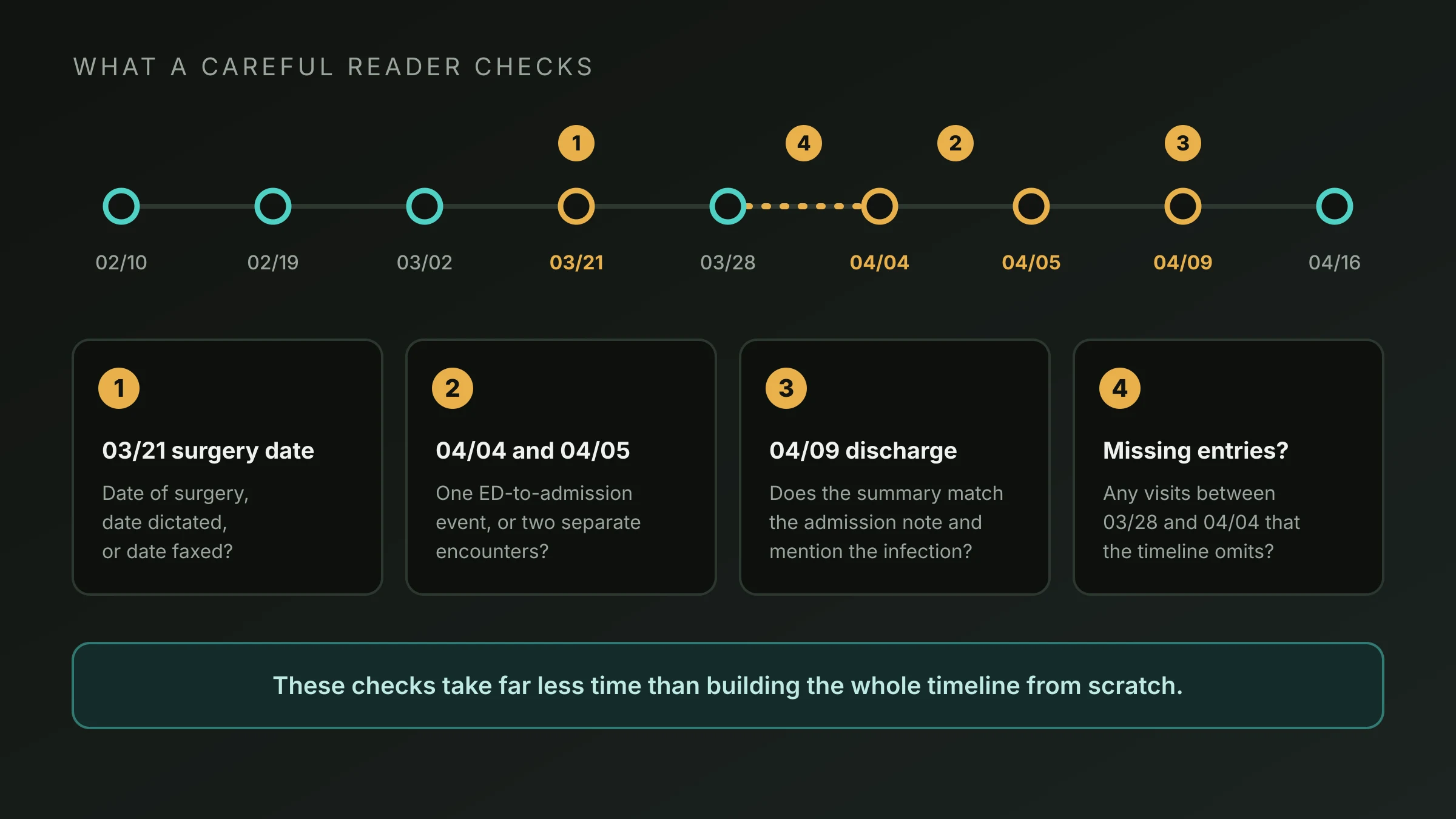
- The 03/21 surgery date. Is it the date of surgery, the date the report was dictated, or the date it was faxed?
- The 04/04 and 04/05 entries. Do the records show one continuous ED-to-admission event or two separate encounters?
- The 04/09 discharge. Does the discharge summary match the admission note, and does it say anything about the infection that the timeline leaves out?
- Missing entries. Are there visits between 03/28 and 04/04 that the timeline doesn't show?
These checks take far less time than building the whole timeline from scratch, which is the point of using the tool. They're also what keeps a mistake from reaching a demand letter or a deposition outline.
Potential Benefits
When it's applied to the right tasks, automated chronology generation can offer several advantages:
- Faster navigation. Instead of paging through hundreds of pages, a reader can scan the timeline and jump to the relevant source.
- Consistent organization. Every entry follows the same structure, which makes files easier to compare.
- Visible treatment sequences. Seeing referrals, tests, procedures, and follow-ups in order helps show how care unfolded.
- Support for large volumes. Teams that handle many files can apply the same approach across all of them.
- A starting point for deeper work. The timeline can guide where to focus closer reading or which records to request.
How much time you save depends on the records, the tool, and the checking process, so test with your own files rather than assuming.
Limitations to Understand
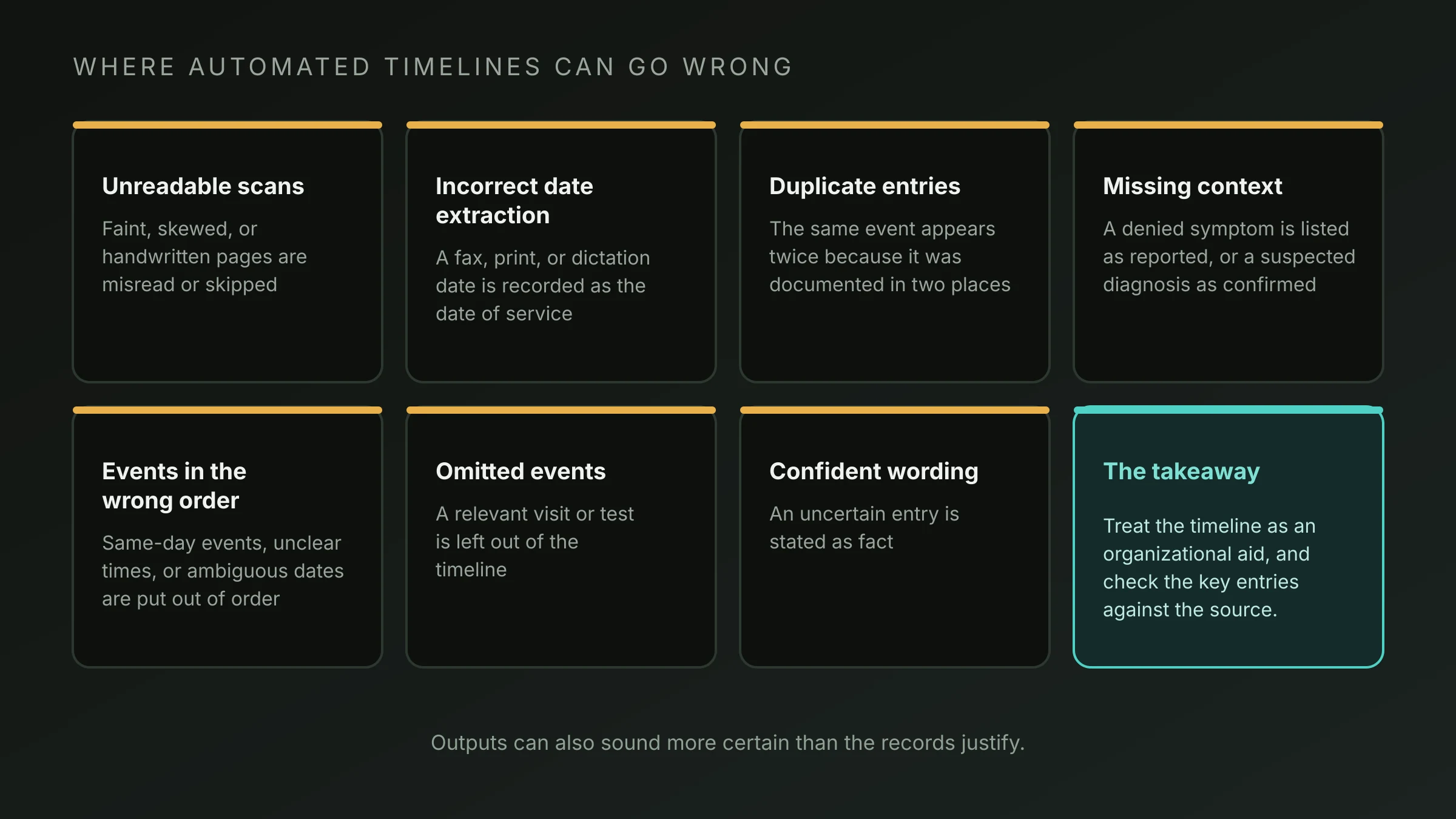
The same features that make automation fast also create risks:
| Limitation | What it can look like |
|---|---|
| Unreadable scans | Faint, skewed, or handwritten pages are misread or skipped |
| Incorrect date extraction | A fax date, print date, or dictation date is recorded as the date of service |
| Duplicate entries | The same event appears twice because it was documented in two places |
| Missing context | A symptom is listed as reported when it was denied, or a diagnosis suspected but not confirmed |
| Events in the wrong order | Same-day events, unclear times, or ambiguous dates are sequenced incorrectly |
| Omitted events | A relevant visit or test is left out of the timeline |
| Confident wording | An uncertain entry is stated as fact |
An Organizational Aid, Not a Substitute
An AI-generated chronology helps you organize information. It doesn't replace legal judgment, and it doesn't offer medical interpretation. Questions about causation, standard of care, and case value belong to attorneys and qualified medical experts.
An AI-generated chronology isn't automatically verified by a person. Anything you plan to rely on should be confirmed against the source records.
Evaluating Medical Timeline Software and Where MLS 100% AI Review Fits
Questions to Ask About Any AI Chronology Generator
- Inputs. How does it handle scanned, faxed, and handwritten records?
- Output formats. Does it offer tables, narratives, or hybrid views, and can the layout be adapted?
- Source traceability. Is each entry linked or cited to a source page?
- Scale. What file sizes can it handle, and how does it perform on large sets?
- Gap and duplicate handling. Does it flag apparent missing records or duplicate events?
- Review level. Is the output AI-only, or does a person check it? Match the answer to how you plan to use the results.
- Confidentiality. How are records transferred, stored, accessed, and deleted? Ask for specifics and supporting documentation.
- Fit for purpose. Is it designed for screening and early assessment, or for facts you'll rely on in litigation?
How MedicalLegalSpider.com's 100% AI Review Fits
Our 100% AI Review solution is built on AttestaAI, a purpose-built AI agent that reads every page of a case and produces a chronology, a summary, and plain-English case Q&A. You can choose narrative, tabular, hybrid, or issue-focused templates, and the service scales from 500 to more than 20,000 pages.
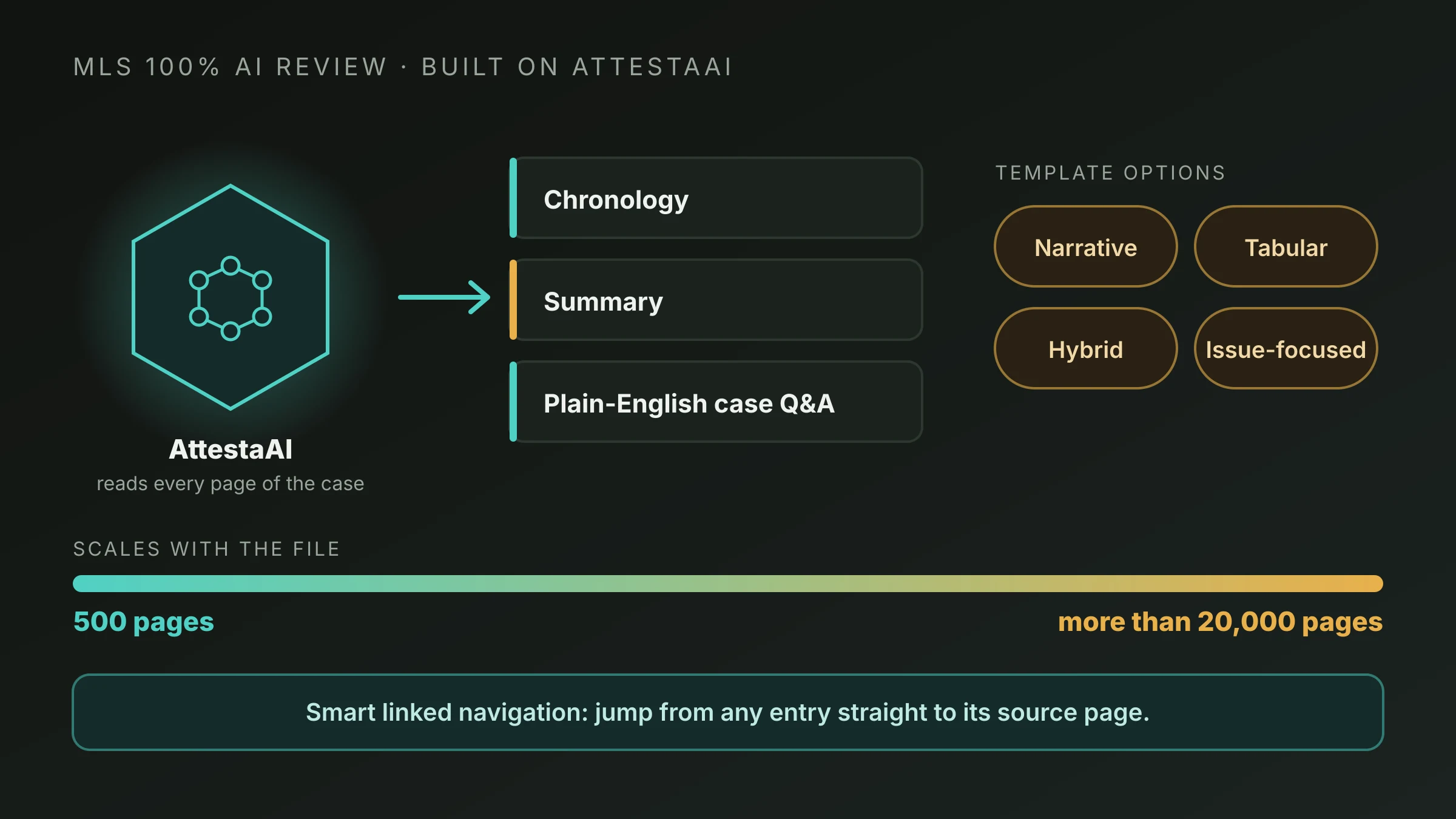
Our chronology and summaries present a timeline built from the full record, and smart linked navigation lets you jump from an entry straight to its source page. If you want a closer look at the technology, visit the AttestaAI engine page, and if you work with big files, see how we handle high-volume processing.
We position this model for early case assessment, intake screening, and high-volume claims review. That matches how this article recommends using AI chronologies: as a fast, organized starting point that you then verify. Because the output is AI-generated, check it against the original records, especially anything that will carry weight in a case. For matters that call for more review, we also offer 100% Human Review and an AI + Human option.
Frequently Asked Questions
What does an AI chronology generator actually produce?
Typically, a timeline of medical events in date order, with details such as the provider, the event, and a reference to the source page. Some tools also produce a summary or let users ask questions of the records. The exact output depends on the product.
What timeline formats are common?
Common formats include a table with columns for date, provider, event, and source; a narrative that describes events in prose; a hybrid that combines both; and issue-focused views organized around a topic such as prior injuries or specific treatments. Check which formats a tool supports before committing.
Why does source traceability matter?
Because an entry is only as reliable as the page behind it. When each timeline entry links or cites to its source, a reader can confirm a date or finding in seconds. Without traceability, checking means searching the file by hand, which defeats much of the benefit.
What are the main limitations of an automated medical chronology?
Poor scans and handwriting, incorrect date extraction, duplicate entries, missing context, events placed in the wrong order, and omitted details. Outputs can also sound more certain than the records justify. These are reasons to treat the timeline as an organizational aid and check the key entries.
Can attorneys use an AI-generated chronology in legal work?
It can be a useful working tool for orientation, screening, and planning. Before facts appear in a demand, filing, or deposition, confirm them against the source records and consider additional professional review. An AI chronology doesn't replace legal judgment or medical interpretation. We offer a 500-page free trial, so confirm the current terms if you want to test one.
Conclusion: A Timeline You Can Check
An AI medical chronology turns a large, unordered file into a sequence a legal team can scan and navigate. The benefit is speed and structure, and the cost is the need to verify. Because errors in recognition, dates, and context can carry through to the finished timeline, the most useful habit is to check the entries that matter against the source pages.
If your team handles large files and wants a fast, organized starting point, explore our 100% AI Review service and get started by testing it on a file of your own.